How I can download my License Key / Gift Card / Redeem Code ?
We have two websites, zaintech.pk and 247giftcards.store. Both websites work in the same way, so follow the same steps on either site based on where you placed your order. Here’s how to download your purchased software, license key, or gift card:
1. Open the Website
- Go to either zaintech.pk or 247giftcards.store based on where you placed your order.
2. Log In to Your Account
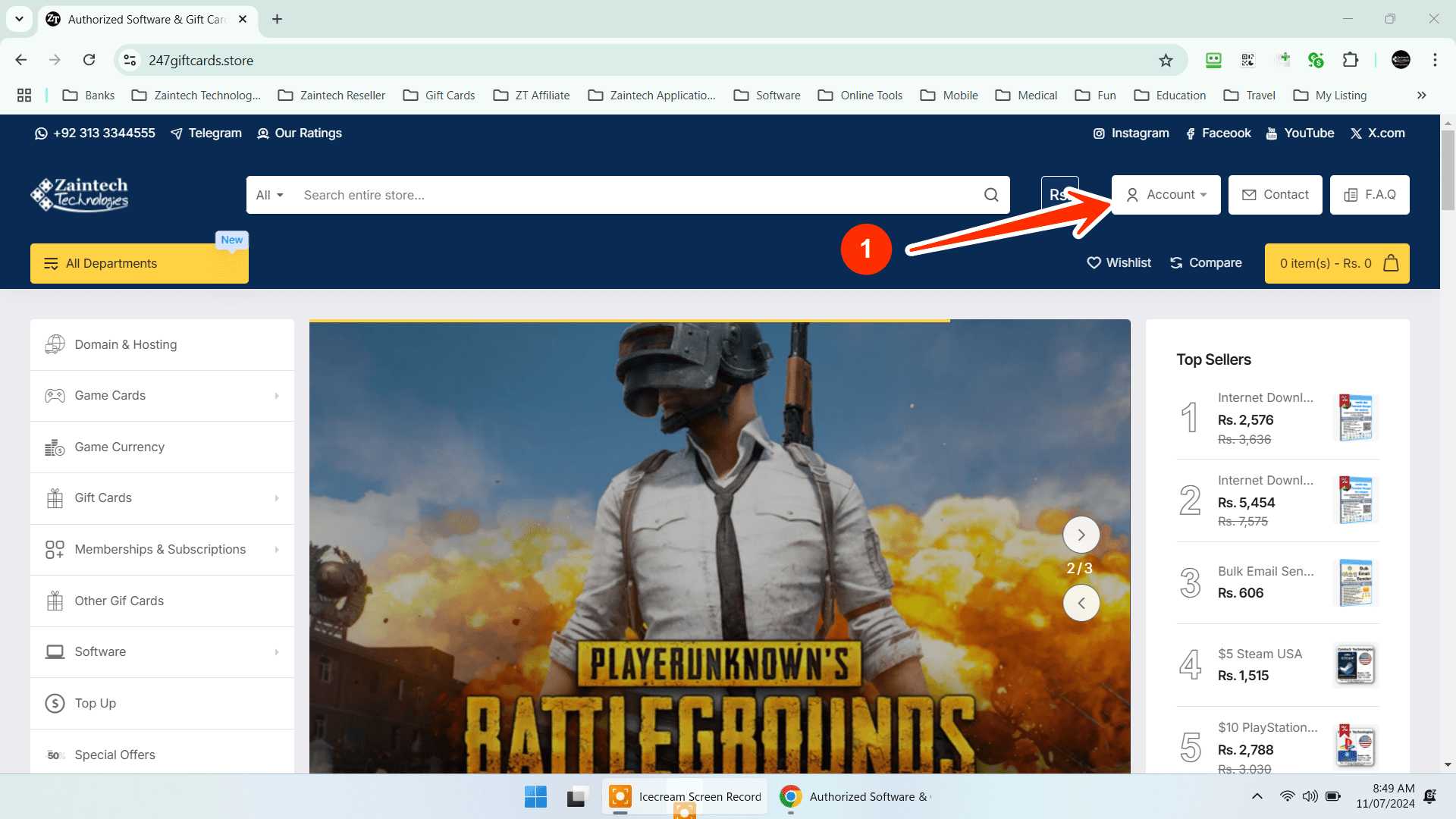
- Click on the Account icon at the top of the page.
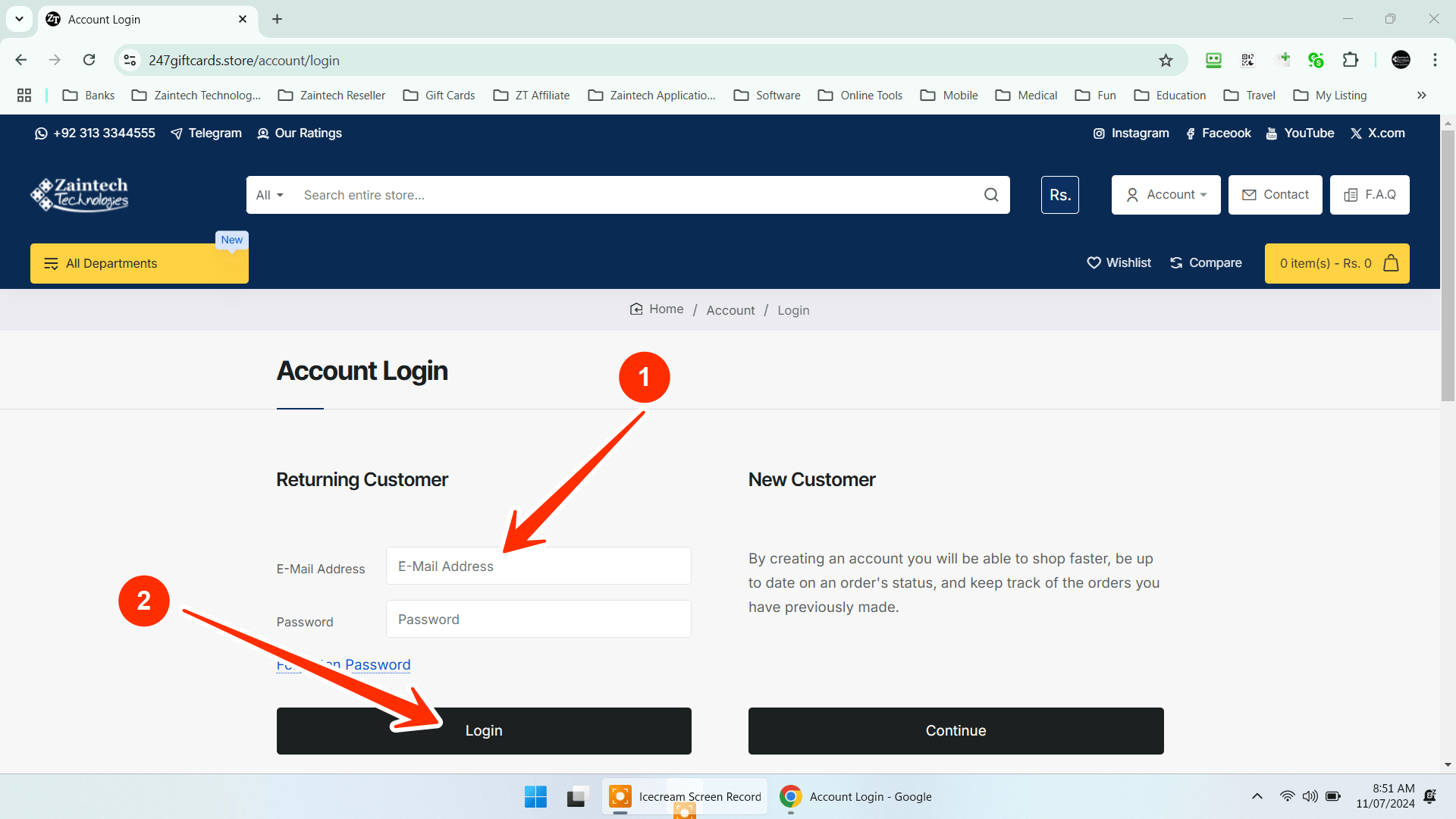
- Enter your email and password, then click Login.
3. Check Your Order Status
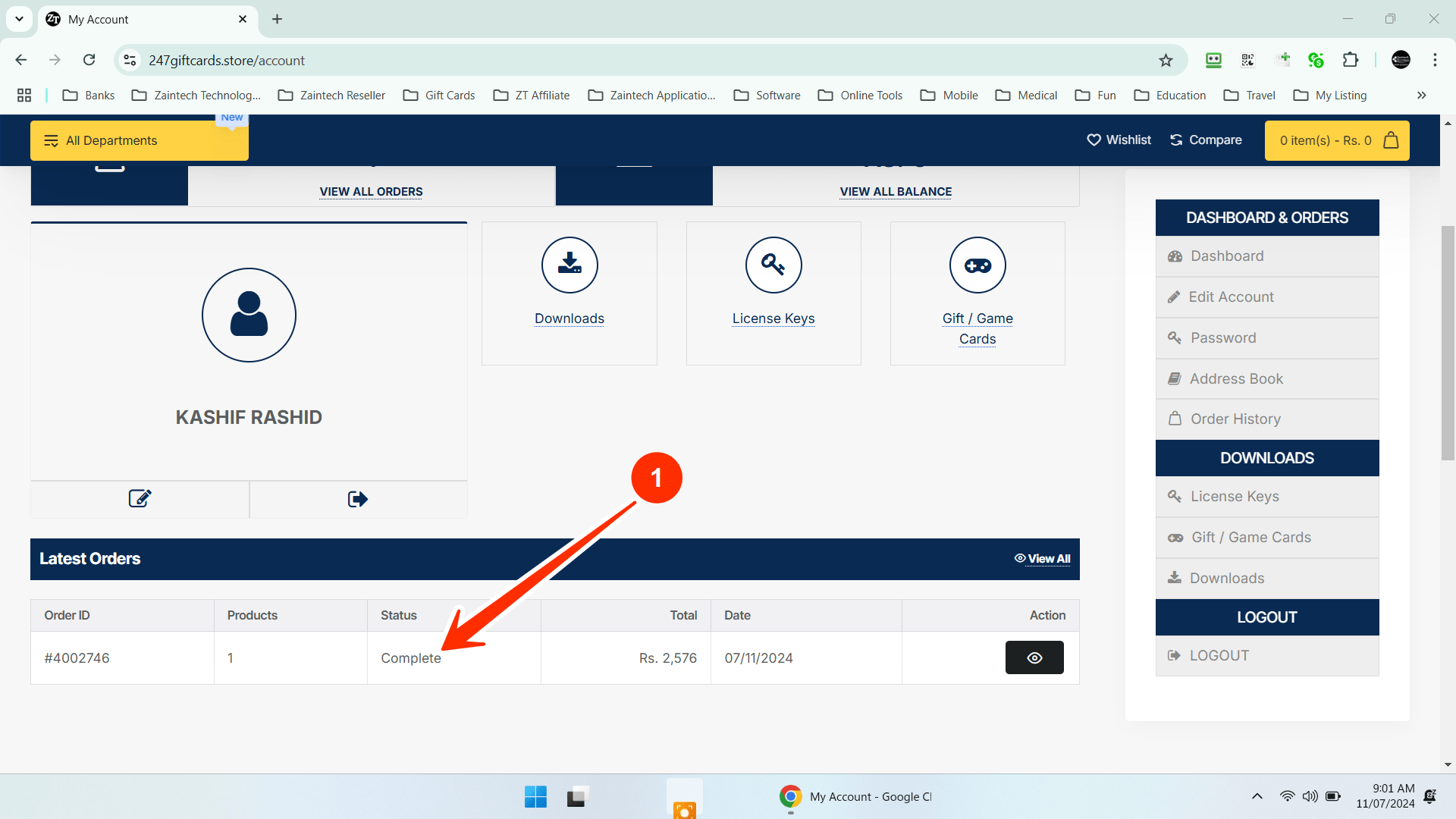
- You can only download your software, license key, or gift card when your order status is "Completed".
- Make sure your order has been marked as "Completed" before proceeding. You can check your order status in your account dashboard.
4. Select What You Want to Download
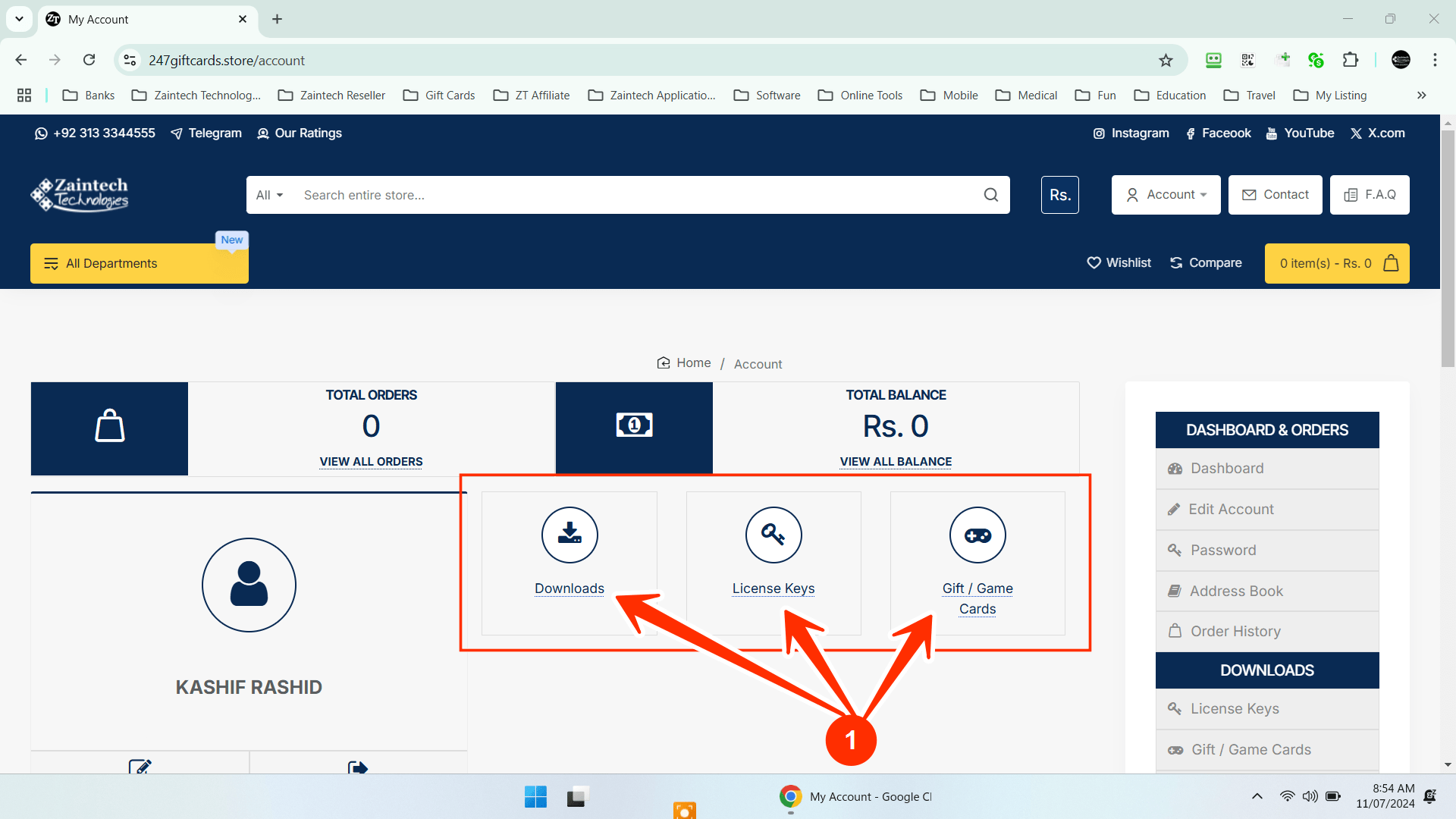
- If you ordered software, click on the "Downloads" button.
- If you purchased a license key, click on "License Keys" to find your code.
- If you bought a gift card or game card, click on the "Gift / Game Cards" section.
5. Download Your File
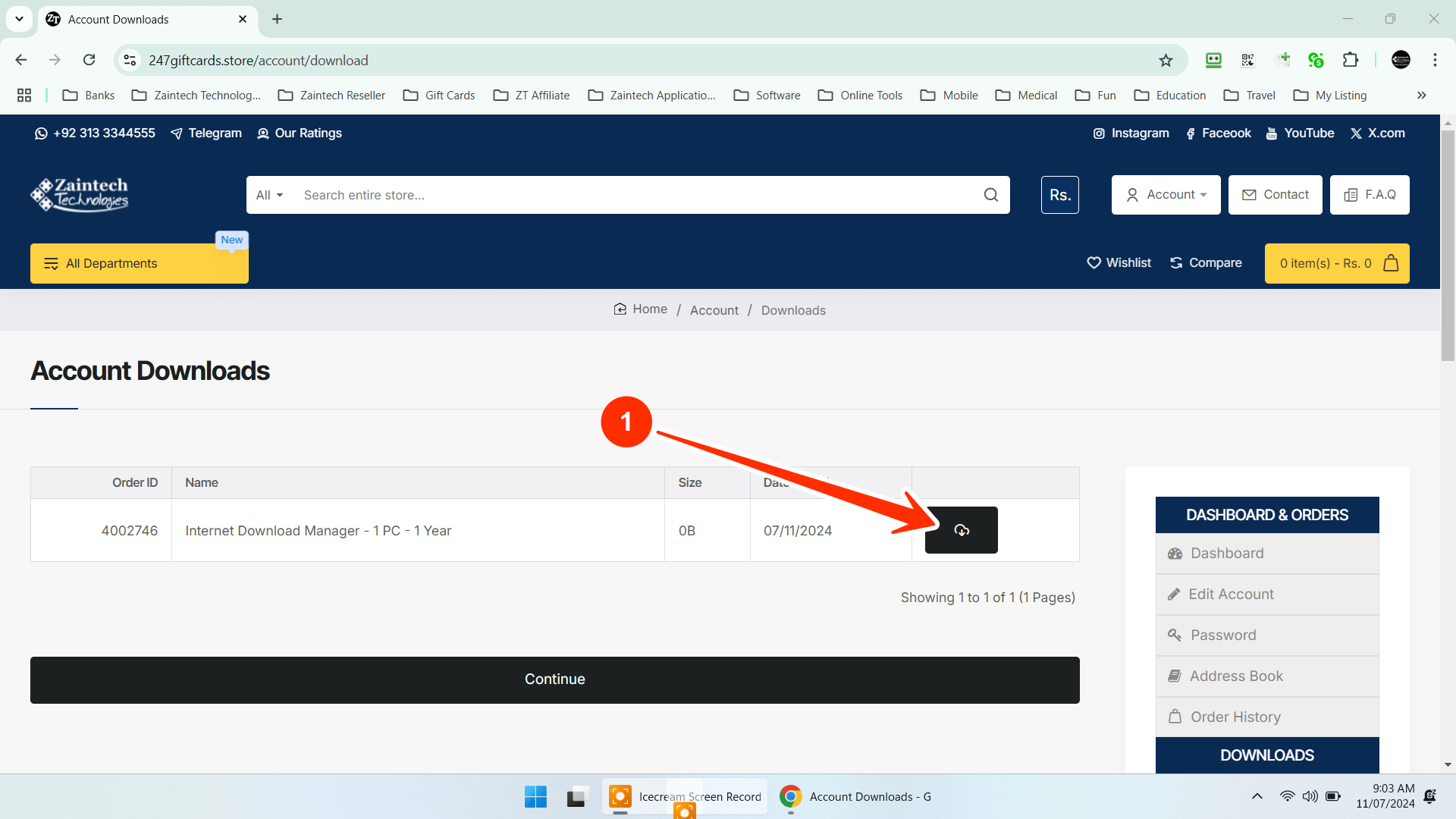
- Click the Cloud Download Button next to your order to start the download.
6. Find and Open Your Download
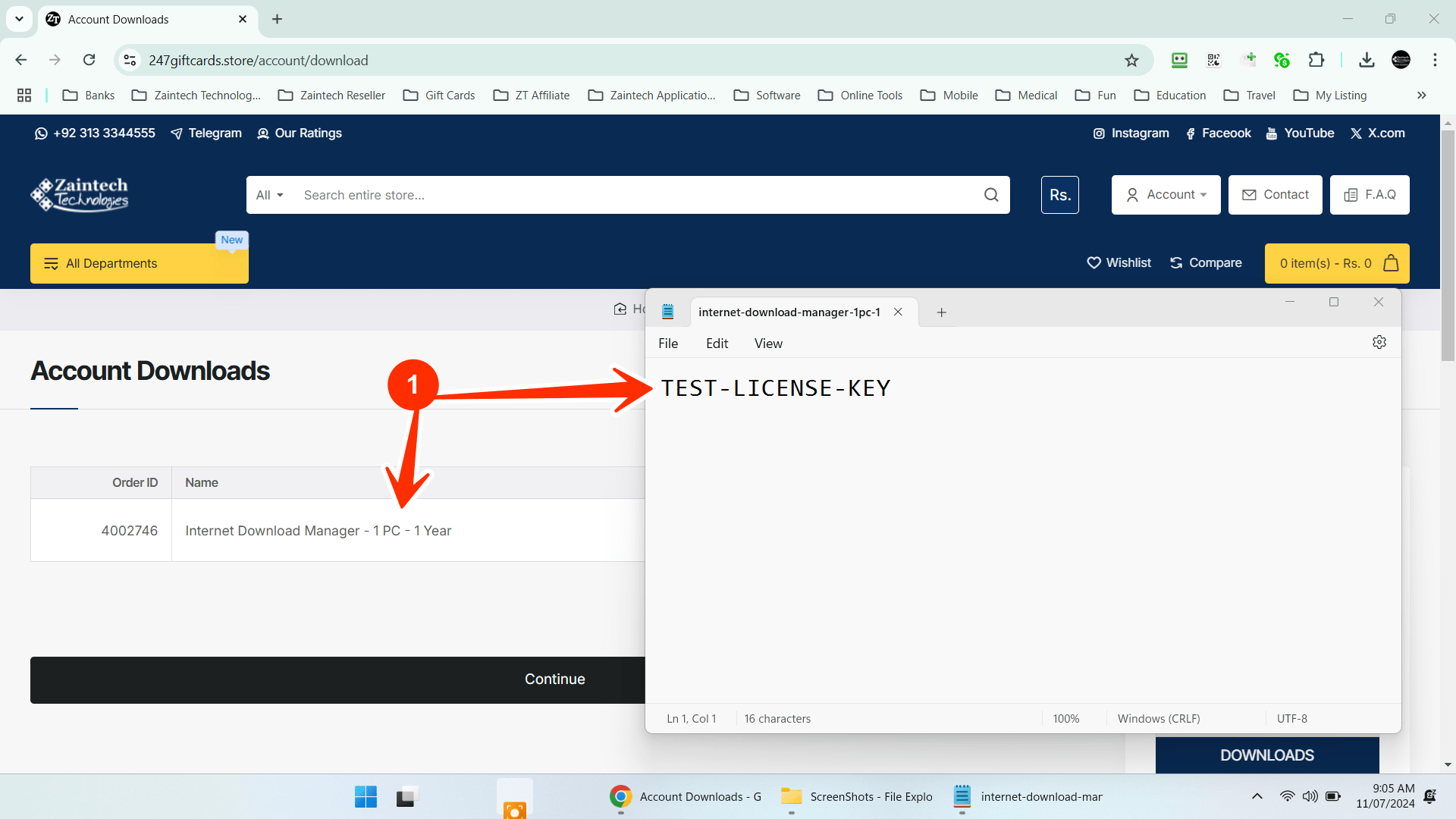
- After the file is downloaded, look for a text file in your downloads folder.
- Open the text file to find your license key or gift card code inside.
That’s it! You’re all set to start using your software, license key, or gift card.
If you have any issues or questions, feel free to reach out to our support team.