How can I switch to see product prices in my local currency?
We have two websites, zaintech.pk and 247giftcards.store. Both websites work in the same way, so you can follow these steps on either platform to select your preferred currency. Here’s how to change it:
1. Open the Website
- Go to either zaintech.pk or 247giftcards.store based on where you want to place your order.
2. How to Change Currency on a Mobile Device
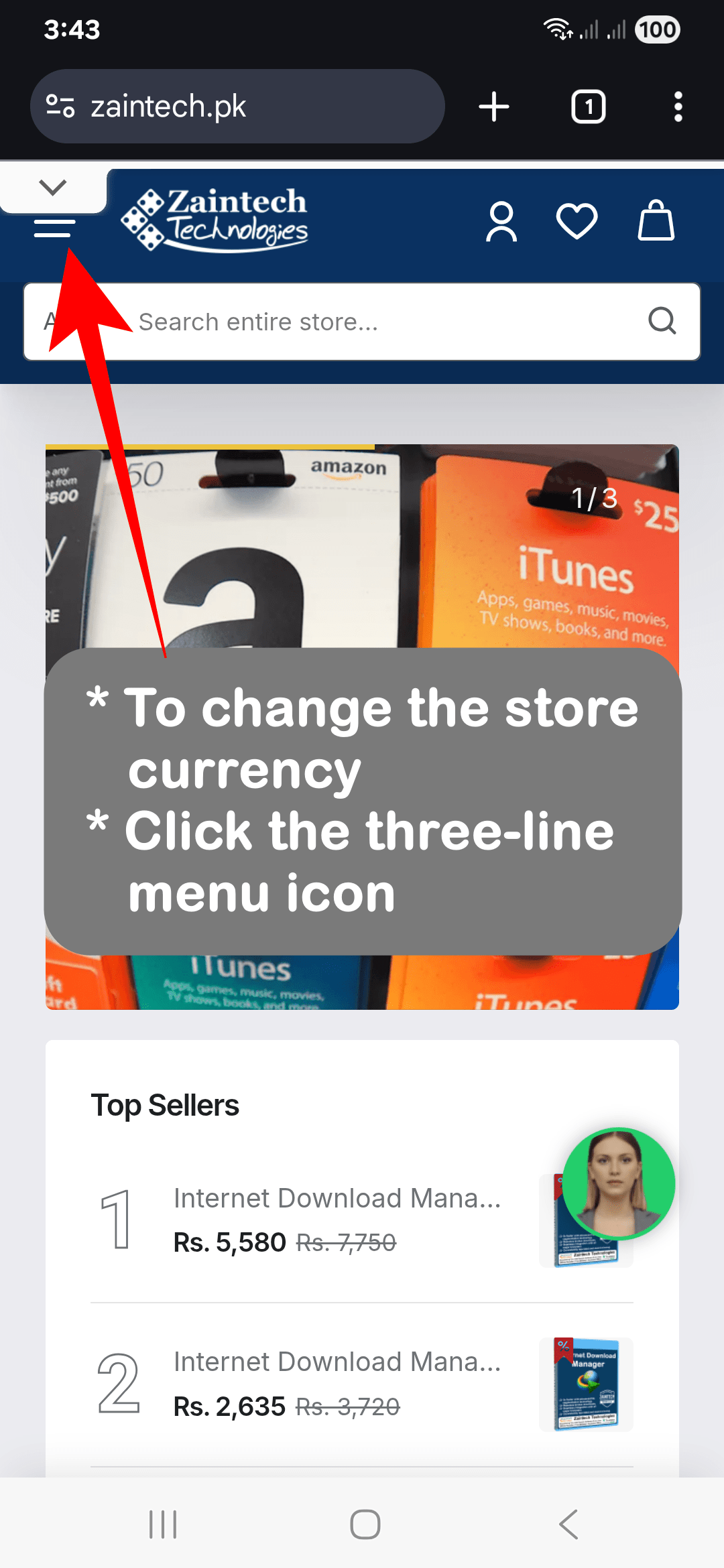
- From any page, tap the three-line menu icon ☰.
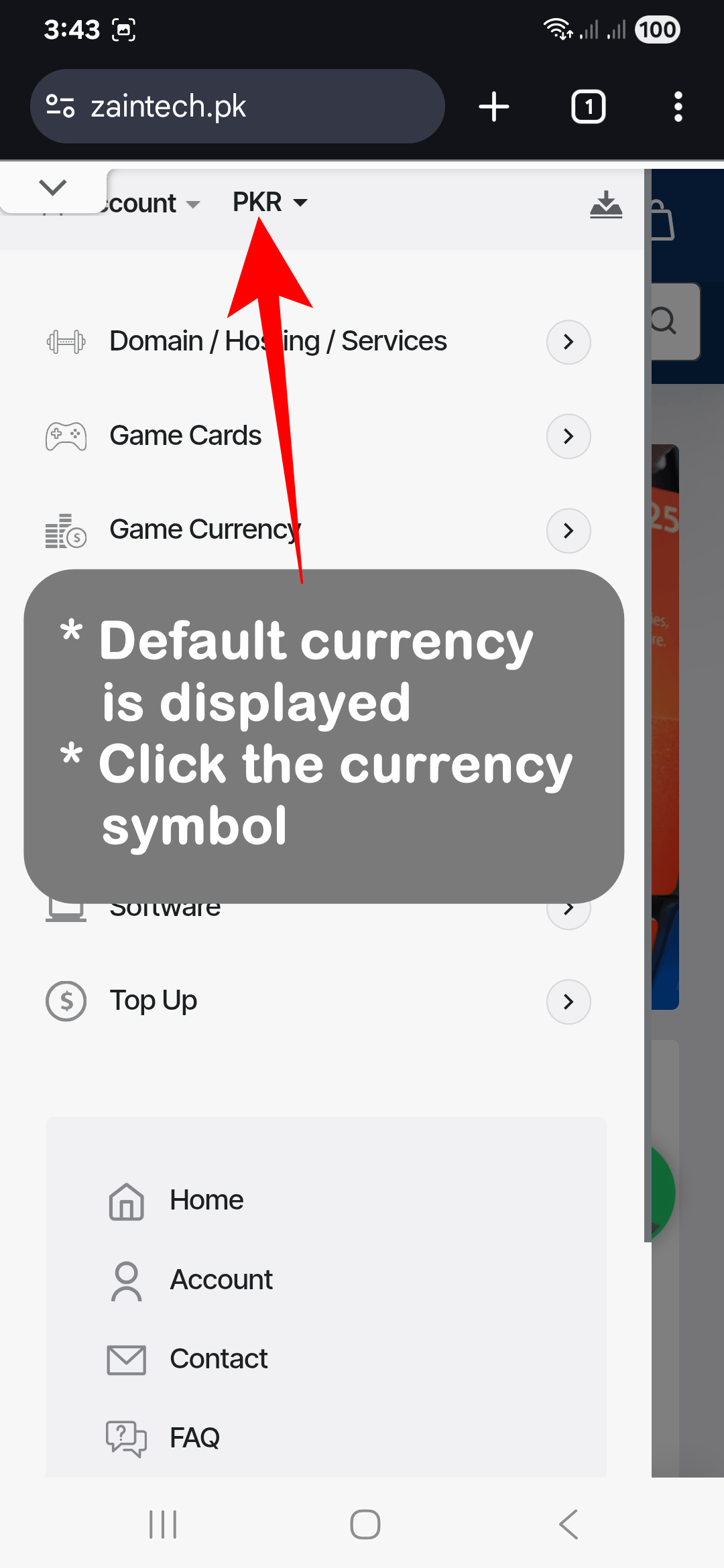
- Locate the current currency indicator (e.g., USD, PKR).
- Tap on the currency symbol or code.
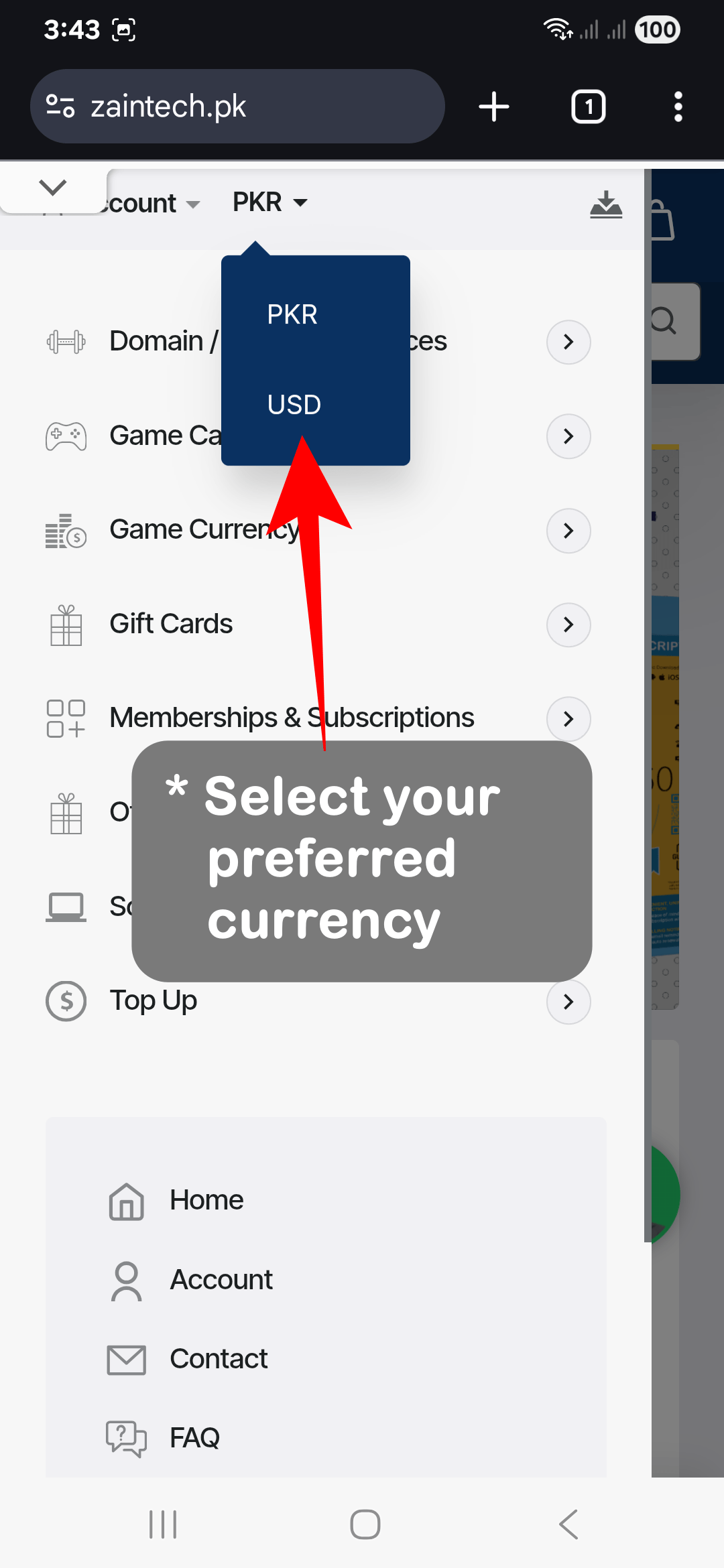
- A list of available currencies will appear.
- Select your preferred currency from the list.
3. How to Change Currency on a Computer
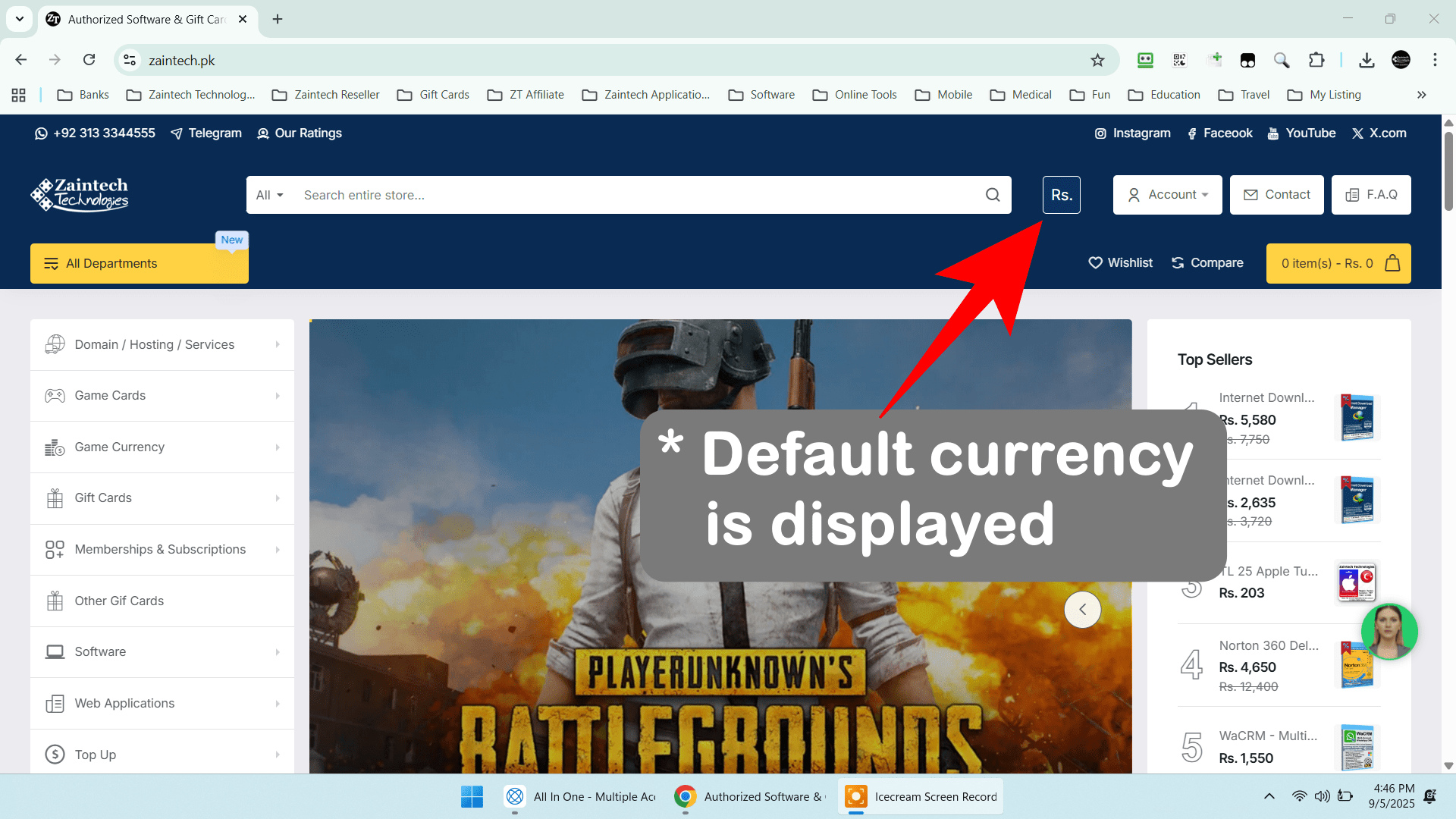
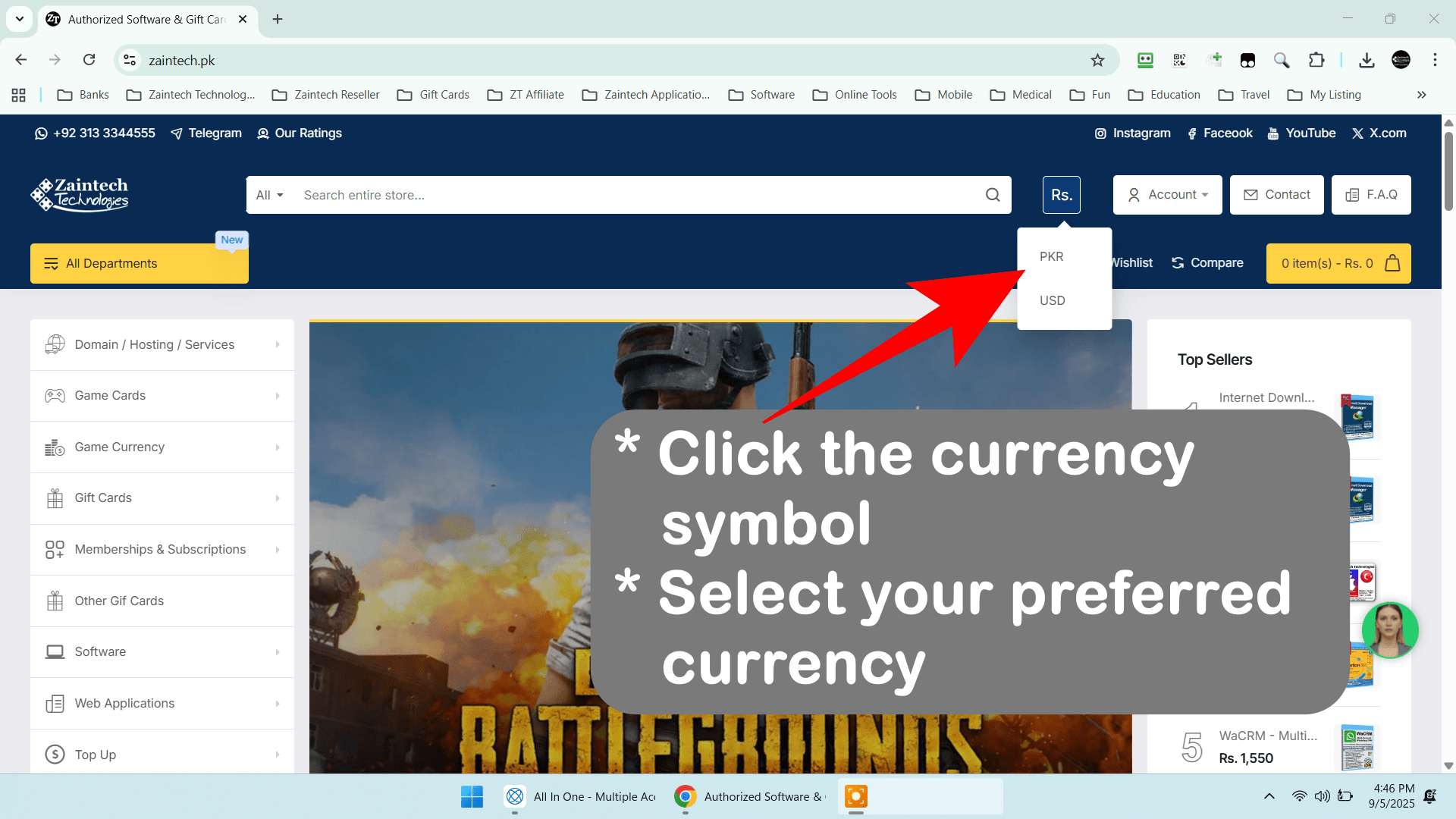
- Look at the top of the website, in the header section.
- Just to the right of the search bar, you will find the currency menu, showing the current currency symbol (e.g., USD, PKR).
- Click on the currency symbol or code.
- A dropdown menu will appear with a list of available currencies.
- Select your preferred currency from the list.
That’s it! Your selected currency is now active, and all prices will be displayed accordingly.
If you have any issues or questions, feel free to reach out to our support team.